 Giftlight
How it sorts your list
- Your categories become sections (or your product types, if those split your list better). Names that aren't for shoppers, like Sale, New, Wholesale or Uncategorized, are skipped.
- Budgets come from your prices. It splits them into a few ranges with round edges, like Under $25 and $25 to $40, each with enough gifts to fill a section.
- "For her", "For him" and "For a kid" appear when your product names, categories or tags say so: Women's, Men's, Kids, Mom, Dad and the like. If nothing does, the guide goes by budget and interests.
- Each section shows your gifts in your list's order, so put the ones you most want to sell near the top. A product with sizes or flavors shows once, at its lowest price. Sold-out items and drafts are left out.
- Prices show in your currency (US, Canadian, Australian or New Zealand dollars, pounds or euros). An Etsy export sets it for you.
- You decide the rest. Rename any heading, leave out a gift or a whole section, and add a photo where your export didn't have one.
Getting your product list
- Shopify: Products, then Export. Pick All products and a CSV file.
- Etsy: Shop Manager, Settings, Options, then the Download Data tab. Under Currently for Sale Listings, click Download CSV.
- Square: Items, then Item library, then Actions, then Export library. Choose CSV.
- WooCommerce: Products, then Export.
- Wix: Store Products in your dashboard, then More Actions, then Export.
- Squarespace: Commerce, then Inventory, then Export all.
- Anything else: fill in the blank template (Name, Price, Category, For, Image URL, Link), or paste rows straight from a spreadsheet.
A printed guide, or one on your site
A printed or PDF guide is right on the day you make it. A gift guide on your store's own site can do what paper can't: drop what sells out, pick up new products and price changes, and let a shopper tap a gift to buy it.
On Wix? Giftlight puts this same kind of guide on your site, built from Wix Stores and kept current as stock and prices change, with a short quiz under "Help me choose" for shoppers who are stuck. Showing the guide is free. The quiz is free up to 100 finished quizzes a month; past that, plans start at $19 a month.
Add Giftlight to your Wix site
On Shopify, Giftlight is in Shopify's App Store review.
On WooCommerce? Giftlight is free on WordPress.org: the same guide and quiz on your shop, with no plans or limits.
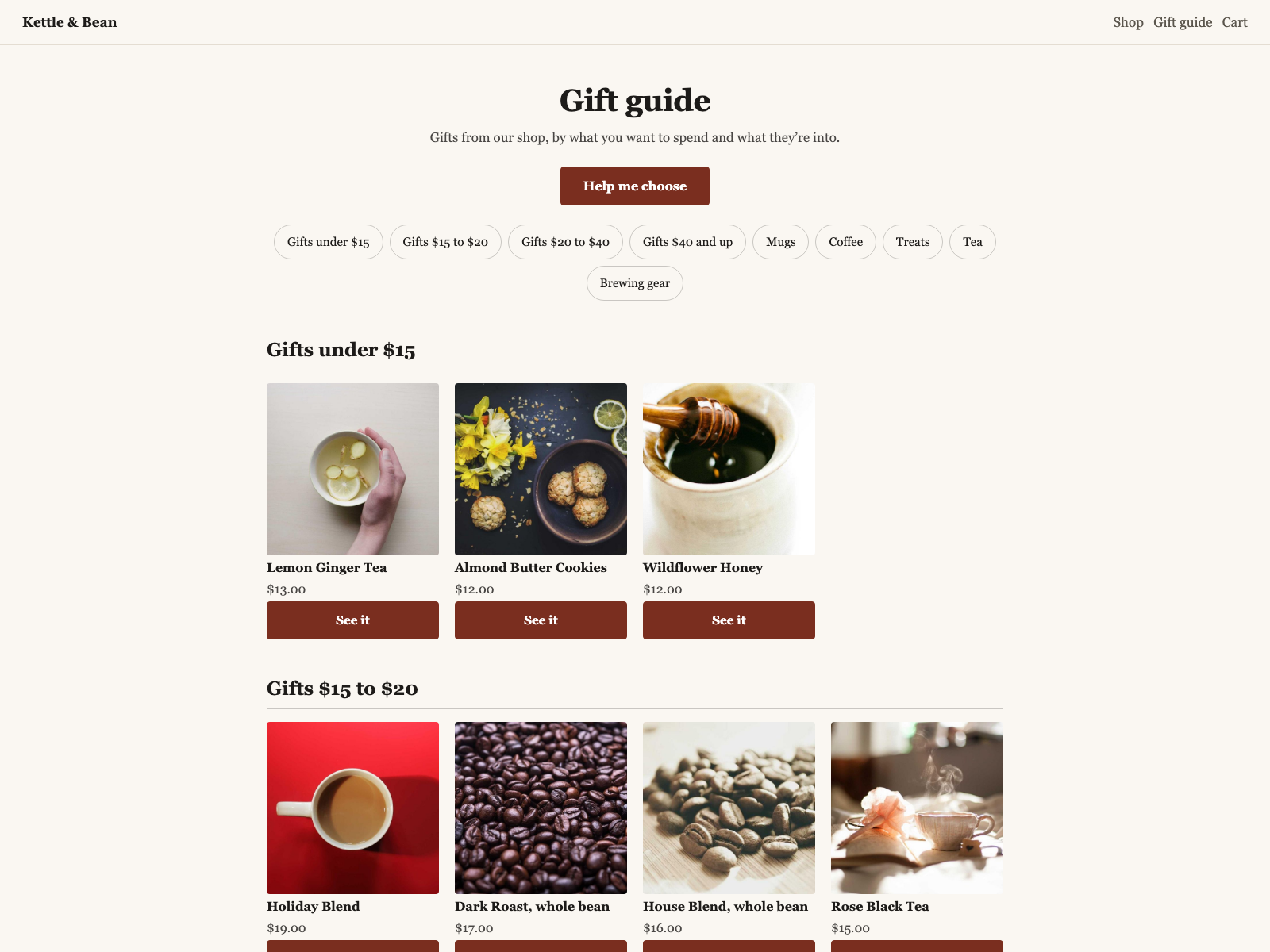
The same example shop's guide on its own site, made with Giftlight: it follows stock and prices, and "Help me choose" opens a short quiz.
Questions
- Is my product list sent anywhere?
- No. Your browser reads the file and makes the guide on your own computer or phone. You can check: once this page has loaded, turn off your Wi-Fi and it still works (your product photos need the connection to show). The page loads only its own script and your product photos from wherever your export points to them, and it counts page views and prints, with nothing about you or your list. It keeps your guide in this browser so it's there if you come back; "Start over" clears it.
- Why are some of my products missing?
- Products without a price, drafts and hidden products are left out, and so are sold-out ones when your export says how many you have. A section needs at least two gifts and shows as many as you pick under "Gifts per section", and each gift shows once, in the first section it fits. The note under the guide says what was left out.
- Will the gifts link to my shop in the PDF?
- Yes, when your export has a link for each product (our template's Link column), or on Shopify once you type your web address. Saved as a PDF, each gift opens its page. Etsy's export has no listing links, so type your shop's web address and it prints at the top and bottom of the guide instead.
- Can I make it for one occasion, like Mother's Day?
- Yes. Change the title, leave out what doesn't fit, or start from a list with only those products.
- What does it cost?
- Nothing, and there's nothing to sign up for.